

AI Character Video Tools
Last reviewed: 2026-09-23
On tempteo, a video starts from a character image: you pick the image and the video tool animates it. Video needs Premium and uses credits, and the workspace shows the progress while it renders. Now and then a render fails, so check the result before you share it.




How to find the video workflow
Pick an image
Start from a character image. The screen marks which images can be turned into a video.
Open the video tool
Use Animate on an image or switch the generator to video mode, whichever your screen offers.
Wait for the result
The status updates while the video renders. When it’s done, you can play it, find it in your gallery or download it.
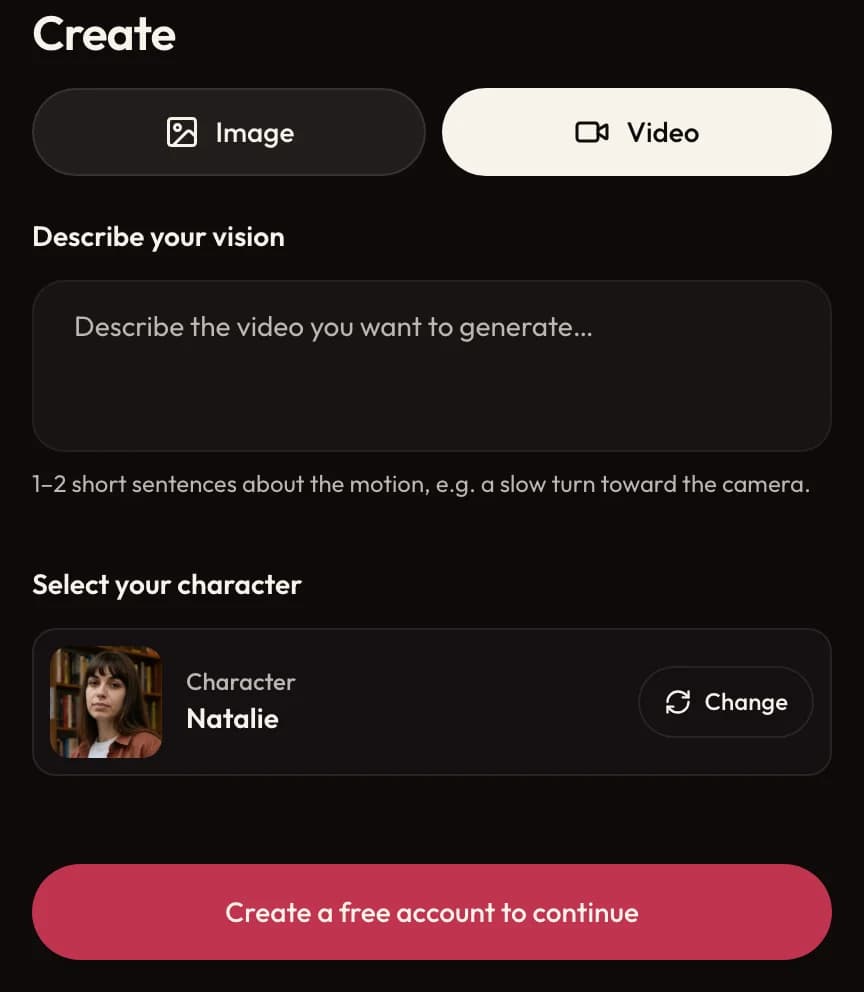
What to expect in the interface
- From image to motion
- The video animates the image you picked. Motion can change small details of the face, clothes or background.
- Where the video buttons are
- They can sit next to an image, in the generator or in the chat.
- The cost before you start
- Check the credit cost the screen shows before you start a video.
- Buttons on the result
- A finished video comes with its play, gallery and download buttons.
Frequently asked questions
How do AI character videos work?
Pick a character image, open the video tool and follow the progress in the workspace. What you get depends on the video model in use.
Will the video keep the character looking exactly like the source image?
The image guides the animation, but motion can change details of the face, clothing or scene, so look at the result before you share it. Another version costs credits again, and the product shows how many first.
Is video generation free?
No. Video needs Premium and uses credits. The workspace shows the cost before you start, and the Premium and credit-pack pages list current prices in USD.
How long does it take?
It depends on the video model and how busy the system is. The status in the workspace tells you when it’s done.
Can I animate any picture?
No. The image and video screens mark which pictures can be animated.
Where can I read the video tool rules?
tempteo’s Terms and Safety Guidelines explain what’s allowed, and moderation applies to every account.