

Voice playback and voice input in AI character chat
Choose the right voice mode in AI character chat. Check microphone errors, mistaken transcripts and silent playback, with a text fallback when voice fails.
Updated by the tempteo editorial team
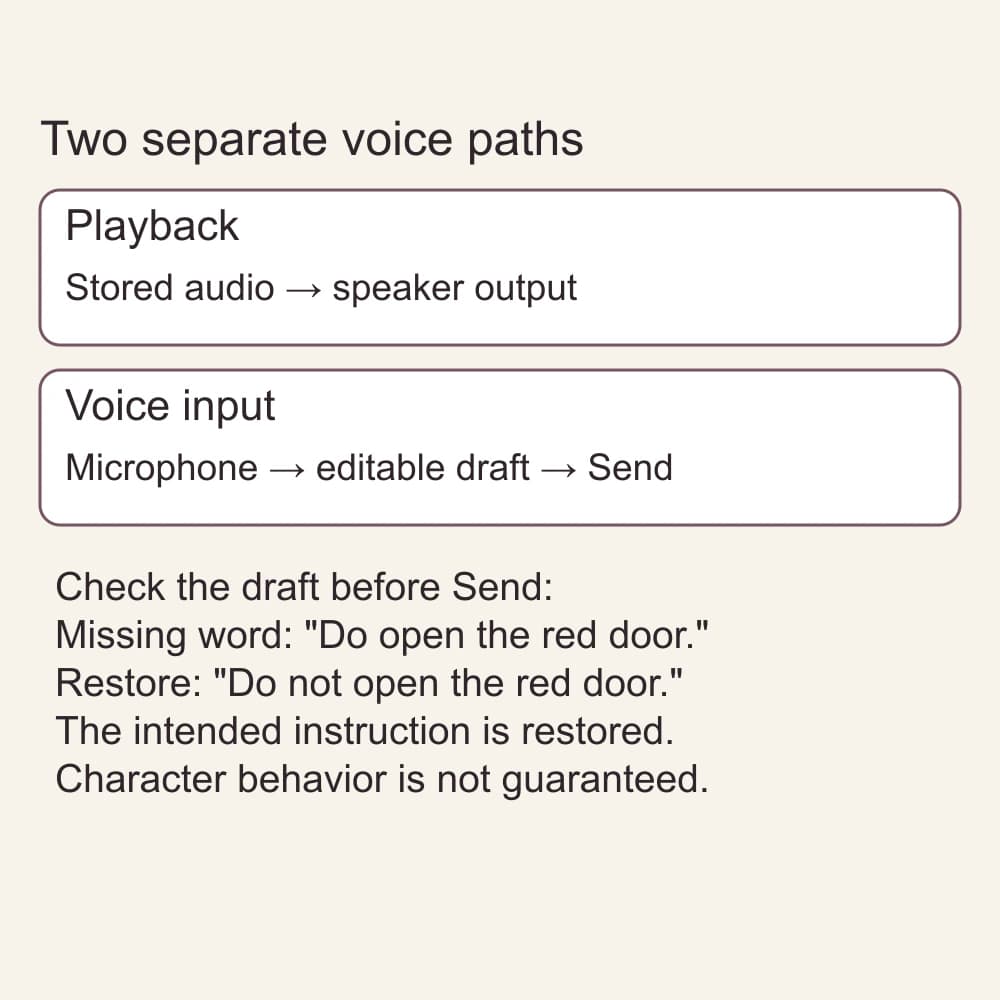
If voice is not working, first name the job you were trying to do: hear a reply or dictate a text message. Each has a different check. A silent audio reply does not tell you whether your microphone works, and a correct transcription does not show that your speaker works.
For the quickest fallback, type your intended message, read it once, and send it as text. If you already have dictated words in the message box, correct those words before sending. You can keep the scene moving without generating another audio reply.
Which mode fits the moment?
Find the symptom you see below, then use the matching check. The detailed sections explain each mode.
- Symptom: no new audio has been created. Mode: playback generation. Check: the visible error, busy state, access and displayed price. Fallback: read the text reply.
- Symptom: stored audio is ready but silent. Mode: playback output. Check: Play, media volume, output device and tab mute. Fallback: read the text; microphone permission is not the volume fix.
- Symptom: microphone access is refused. Mode: dictation. Check: the site's permission and the browser's device permission if you want to speak. Fallback: type.
- Symptom: words appear but the meaning is wrong. Mode: transcribed voice input. Check: the entire editable draft, including negations. Fallback: correct or replace it before Send.
- Symptom: recording produces no usable text or an unavailable notice. Mode: transcription. Check: the actual notice, not just the microphone setting. Fallback: keep or type your text.
For a detailed new scene, begin with a text setup you can read back. Use the opening prompts if you need one. Later, choose the mode that fits the next turn. If you want dialogue that is easier to speak aloud, the read-aloud workshop covers the writing rather than the device checks.
Playback: hear a reply
To hear a text reply on tempteo, use its audio control. "Generate voice memo" creates audio; read the displayed price or access requirement before using it. Once audio is available, the control reads "Play voice memo". While it plays, "Stop playing" stops playback. A free recorded greeting on a public profile is a separate sample, not a test of your chat's audio generation.
Audio is ready, but you hear nothing
- Use Play voice memo on the audio you already have. Do not choose a different reply's Generate control just to test the volume.
- Check the device's media volume and current output. Connected headphones or another speaker may be receiving the sound.
- Check whether the browser tab or site is muted. Pause other audio if it makes this hard to tell.
- Stop playback before changing the output or trying again. If the same stored audio stays silent, read the reply as text and ask for help rather than repeatedly generating new audio.
Microphone permission controls capture, not the volume of an existing audio reply. You do not need to start an input recording to diagnose silent playback. If the control is busy, let that request finish or show an error before doing anything else.
If audio has not been created, that is a generation problem rather than a playback problem. Read the visible error or access message. A missing price, unavailable service or account requirement cannot be fixed by turning up the speaker. See the current voice tools, plan terms and credits information; this guide does not promise a particular media allowance.
Voice input: speak your next message
In tempteo's web chat, voice input records speech and places the recognized text in the message box. That text is a draft for you to check and send; the transcription itself does not send your turn. Pay particular attention to names, directions and short negations such as "not".
A missing word that changes the scene
This is an invented teaching example, not a recorded transcription or model response. You are exploring a house with a character and want the red door to remain closed until you decide what to do.
Intended message: "Do not open the red door. Ask me before you move."
Hypothetical recognized draft: "Do open the red door. Ask me before you move."
The draft has lost "not". It now asks the character to open the door, even though the second sentence still asks for permission before moving. Do not send it and hope the character infers what you meant. Add the missing word in the message box, then read the whole message again.
Corrected draft: "Do not open the red door. Ask me before you move."
- The red door is the one named in the scene.
- "Do not open" preserves your intended restriction.
- "Ask me before you move" leaves the next decision with you.
- You have checked both sentences before pressing Send.
You can also type the intended sentence from scratch. Neither route guarantees the character will follow it, but both prevent this particular transcription error from becoming your sent instruction. If the wrong version was already sent, the player-control guide explains a short OOC correction. Asking for a corrected continuation does not remove the earlier message from history.
Permission, empty transcripts and unavailable input
If microphone access is denied, decide whether you want to record at all. Typing needs no microphone permission. If you do want to dictate, review this site's microphone permission in your browser and, where relevant, the operating system's permission for that browser. Follow the help for your actual browser and device; Android, desktop and iPhone settings are not interchangeable.
MDN's microphone-capture reference explains that capture requires permission and that denial can have more than one cause. Chrome's permission help provides platform-specific instructions. Changing permission matters for voice input, not for hearing stored audio.
An empty transcription, a timeout and "Voice input is not available right now" are different outcomes. An empty result does not contain a message to check; a timeout means the request did not complete in time; an unavailable-input notice is not proof of a broken microphone. Read the notice, keep any text you already wrote, and type the intended message if you want to continue. Do not repeatedly record just because one request failed.
If voice input keeps failing, continue in text. Write the context you want the character to have and review the message before sending it. If you contact support, name the mode, the browser and device, and the visible error. Leave passwords, payment details and private scene text out of your report.
In the character chat, use Record voice message, speak a short line, then choose Stop recording. The transcript goes into the message box. Edit it if needed and press Send message yourself. If the microphone is unavailable, check the browser permission or type your line instead.